
See exactly what will change.
See the file, section and value before and after each change. Exclude individual edits before writing.
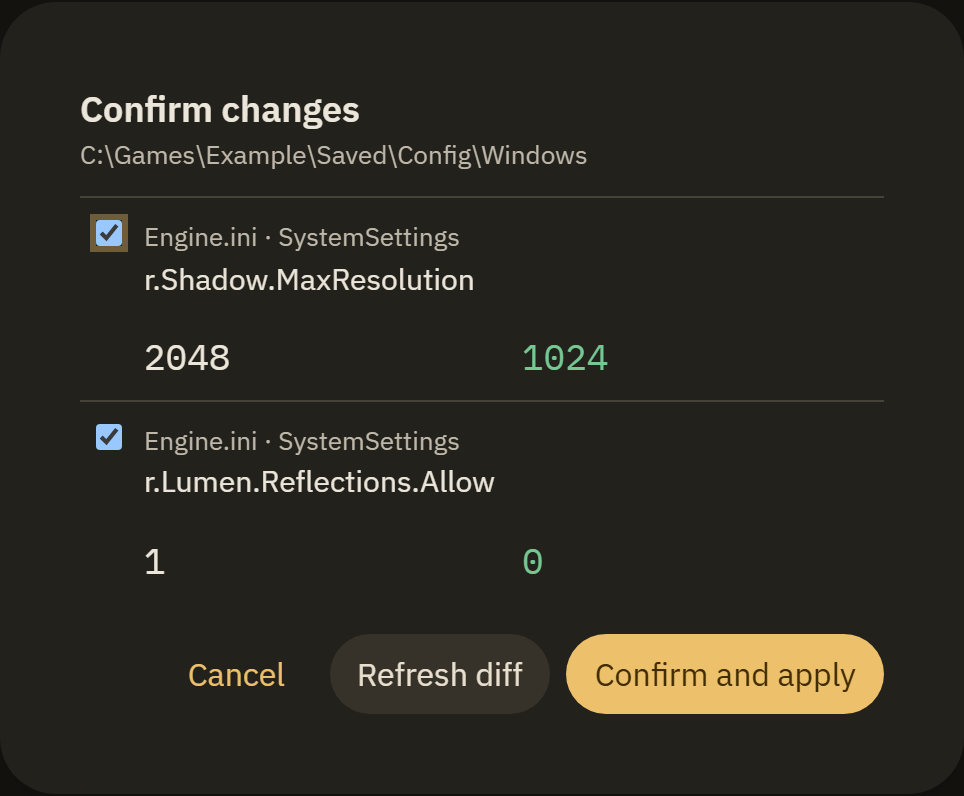
If the config changes after the preview, the app asks you to refresh the diff.
UNREAL ENGINE SETTINGS EDITOR
Graphics, engine parameters and INI files in one place. Review your changes, apply them with a backup and return to the settings that work for you.
Windows may show a SmartScreen warning. Installation and signatures
INTERACTIVE EXAMPLE
bUseVSyncInteractive example. Files on your computer are not changed.
CHANGE WITH CONTEXT
See the file, section and value before and after each change. Exclude individual edits before writing.
If the config changes after the preview, the app asks you to refresh the diff.
Compare your config with a named snapshot and restore a parameter, a file or the entire backup.
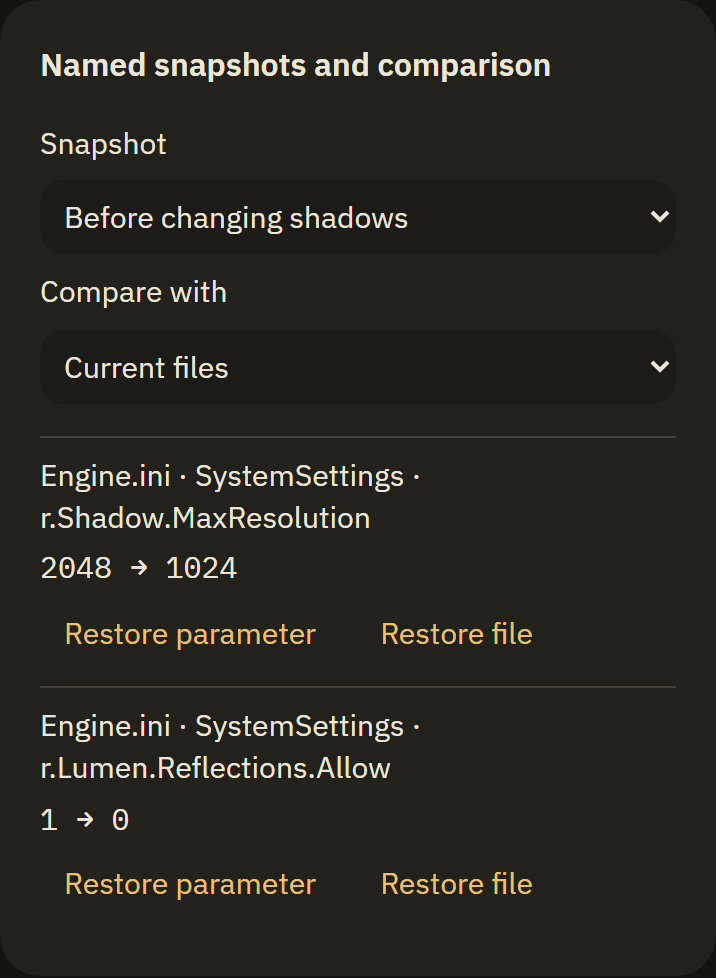
Selective restore preserves other data. Restoring also goes through a preview.
After the game exits, the app checks the settings you applied and reports changes or a new config folder.
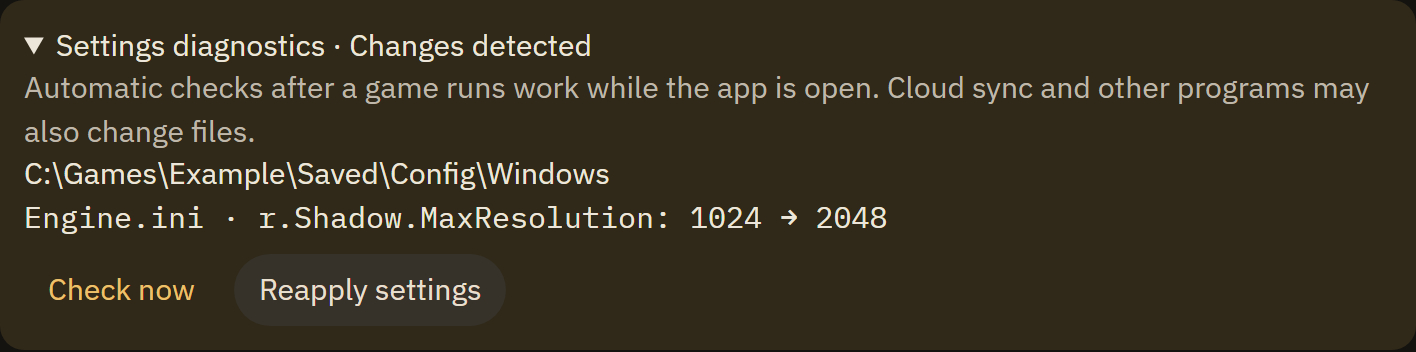
Monitoring works while the app is open. The source of a change may be unknown.
ONE WORKSPACE
Open Engine.ini, GameUserSettings.ini and other supported files in their own tab. Keep file drafts, find values and review the full diff before saving.
Save selected edits or a full profile. Descriptions, game builds and GPU requirements help assess compatibility before import.
Select an adapter and check dedicated memory and hardware ray tracing. NVIDIA, AMD and Intel; unavailable information is marked explicitly.
Edit recognized key bindings, axes and sensitivity in Input.ini with the same previews and backups.
COMPATIBILITY
Finding a game does not mean every engine parameter is available in its build.
Steam, Epic, GOG, manual paths and accessible Xbox / Game Pass installations. Restricted installations may not be discovered.
Hardware and game plugin support are separate. A graphics card alone does not add DLSS, FSR or XeSS to a game.
Recognized classic Input.ini entries are editable. Enhanced Input and custom game formats are outside this editor; ambiguous entries are read-only.
Parameters and hints depend on the detected UE version. Some games ignore INI values or overwrite them on launch.
FAQ
A few things to know before changing your first config.
The installer does not have a Windows publisher signature (Authenticode), so SmartScreen may warn about an unknown app. Download from the official GitHub Releases page. If you trust the source, choose “More info” → “Run anyway”. The updater signature lets the app verify update packages; it does not replace a Windows publisher signature.
The app saves a backup before writing changes. Restore an individual parameter, a file or an entire snapshot through a preview. Parameter values still need to suit the game's capabilities.
No. Available features depend on the engine version, game build and plugins. Compatibility hints cannot guarantee that a game will use every value.
Yes, to monitor game launches and exits. Diagnostics report detected changes after a game, but cannot always identify their source.
GAME SETTINGS MASTER · v1.5.4
Free and open source. Download for Windows, choose your game and start with a preview.